A Mac desktop designed for remote workers
DesignMyMac designs a whole Mac desktop for remote workers from one sentence — wallpaper, icons, folders, Dock, widgets and windows — for example: “A remote worker's desktop: world clocks for my team, today's meetings, a focus timer and a calm daylight look”.
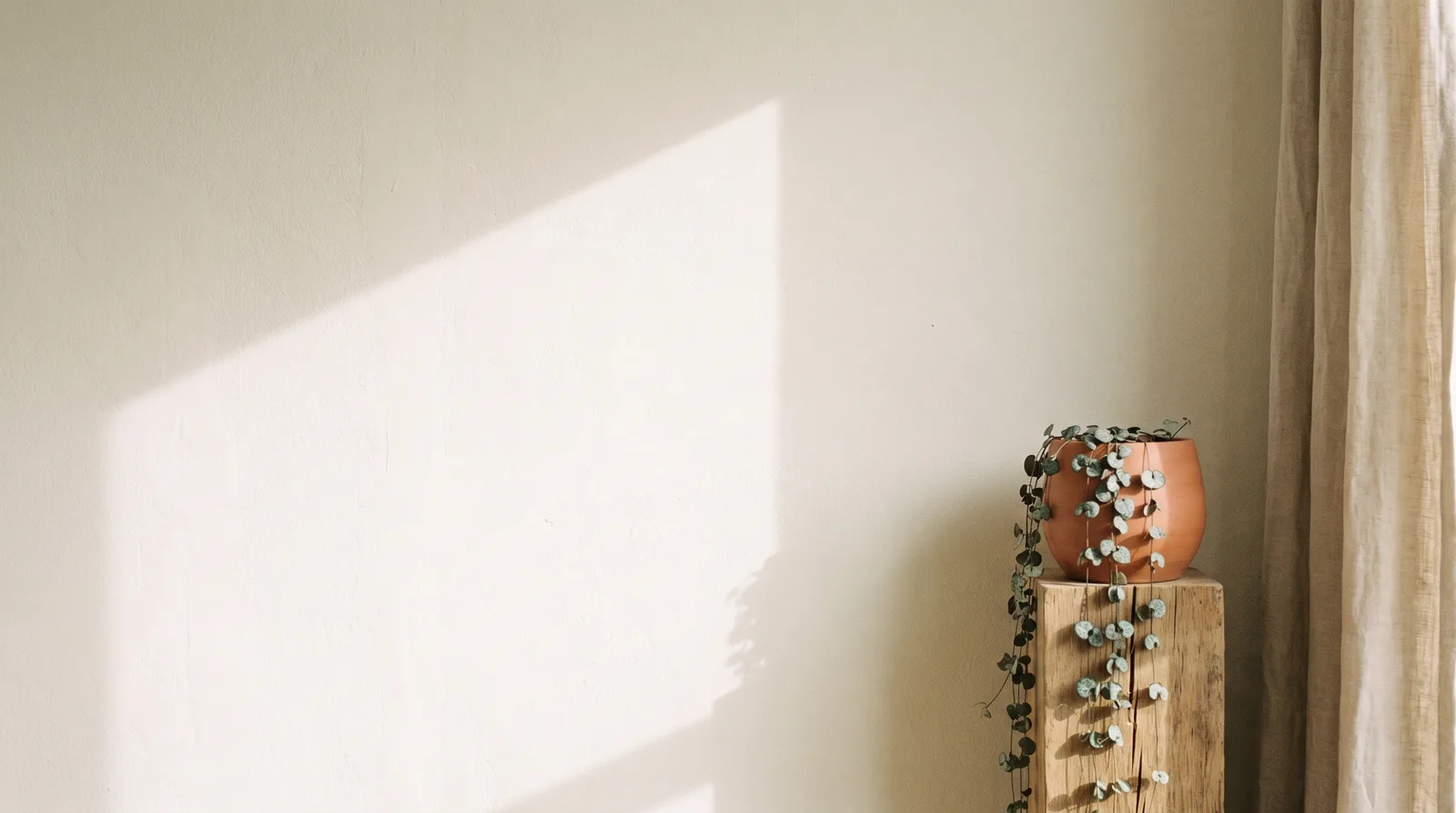
“A remote worker's desktop: world clocks for my team, today's meetings, a focus timer and a calm daylight look”
Download for MacNorth Window Morning
Soft daylight through a studio window. Quiet, warm and unhurried.
- Wallpaper
- Painted wall with a pale window-light parallelogram, a linen curtain edge and a terracotta pot with a trailing plant, in cream and sage. Empty centre.
- App icons & Dock
- Paper-cut icons in cream card stock with soft drop shadows, rounded-square silhouettes and terracotta glyphs.
- Folders
- Manila-toned paper folders with a small terracotta tab and a visible fold line.
- Widgets
- One right-aligned paper card in a serif font: worldClock for the team, events for today's meetings, and a timer with a ring progress block.
- Windows
- Editorial floating windows in solid cream with an outline selection and a serif header.
Widgets worth adding
Questions
Is DesignMyMac free?
You can start for free. Designing with AI has a daily limit per account.
Which Macs does it work on?
Apple silicon and Intel Macs running macOS 14 Sonoma or later. Download it free at designmymac.com/download.
Does it change my files?
No. DesignMyMac only changes how things look — wallpaper, icons, folders' appearance, the Dock, widgets and window styling.
Can I undo everything?
Yes. You approve every change, originals are backed up first, and ⇧⌘R restores your previous look.