designmymac.
Style

Retro 80s Synthwave Mac desktop theme

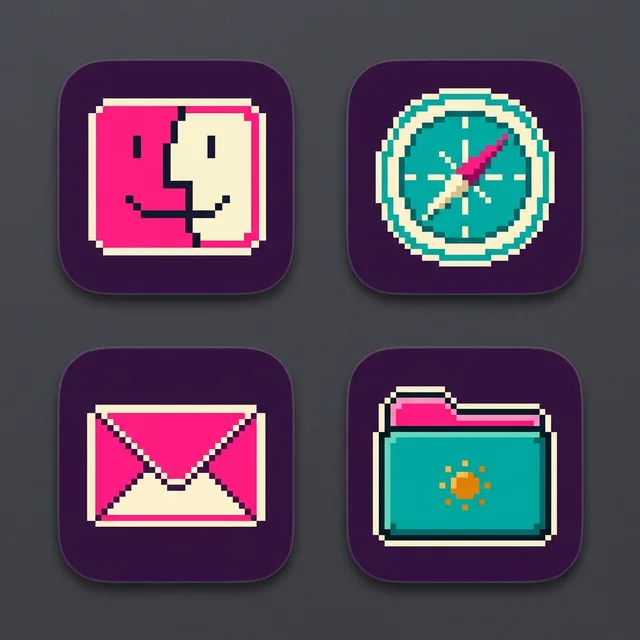
To give your Mac a Retro 80s Synthwave look, describe it in DesignMyMac — for example “A retro 80s synthwave desktop: sunset grid, chrome sun, pink and teal pixel icons”. It researches the style, proposes three directions with a painted wallpaper and icon sample, and applies your choice to the wallpaper, app icons, folders, Dock, widgets and windows together. Every original is backed up and one click restores it.

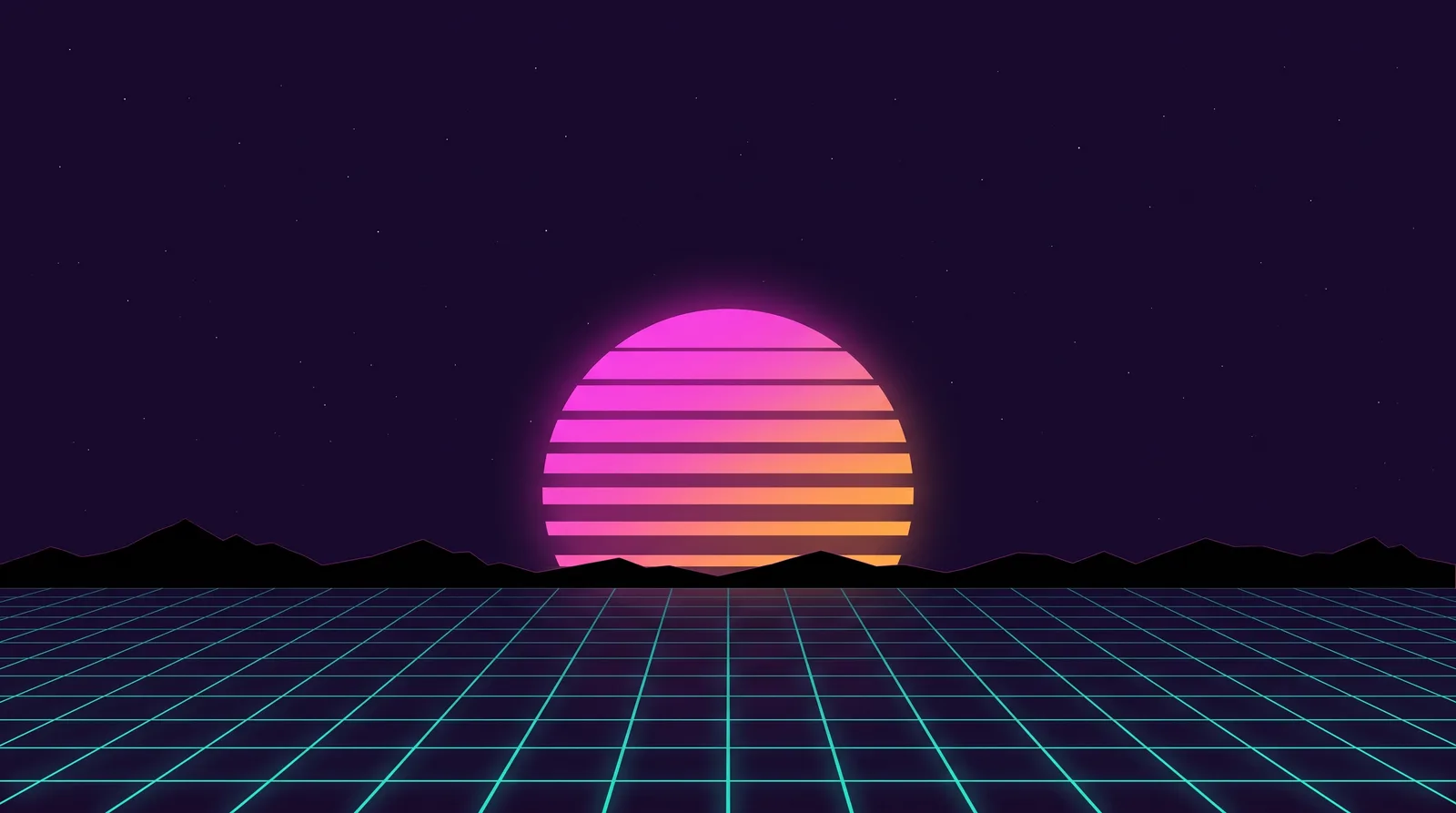
Horizon Run: an original Retro 80s Synthwave Mac wallpaper designed by DesignMyMacRetro 80s Synthwave icon sample: Finder, Safari, Mail and a folder
Horizon Run — painted by DesignMyMac from the prompt below.
Prompt

“A retro 80s synthwave desktop: sunset grid, chrome sun, pink and teal pixel icons”

Design this for my Mac

You want 80s synthwave: a sunset grid, a chrome sun, and pink and teal pixel icons. Each direction below takes a different part of that look and leads with a different layer.

Three directions DesignMyMac proposed

Direction A

Horizon Run

Night drive toward a striped sun over a neon grid. Wallpaper leads.

Grounded in: Outrun sunset grid

Wallpaper
Striped magenta-to-amber sun on a flat horizon, teal perspective grid receding below, thin black mountain silhouettes, deep purple sky with small stars, open space at the top.
App icons & Dock
Pixel icons on dark purple tiles, alternating hot pink and teal with 1px cream highlights, hard stair-stepped edges, rounded-square silhouette.
Folders
Teal pixel folders with a pink tab and a small amber sun pixel, thin dark outline.
Widgets
One right-aligned enamel card with a flip clock, date, weather and a day progress bar. Pixel font, pink on deep purple.
Windows
Frosted dark-purple glass, thin pink edge line, teal selection highlight.
Design “Horizon Run”
Direction B

Chrome Sun Showroom

A polished mirror-metal sun floating over a reflective black floor. Icon-led.

Grounded in: 1980s airbrushed chrome logo art

Wallpaper
Large liquid-chrome sphere sun with a pink-to-teal horizon gradient reflection, glossy black floor with fine teal grid lines, chrome lens-flare star, centered composition with dark corners.
App icons & Dock
Brushed chrome rounded-square icons with bevelled edges, pink and teal neon glyphs and a faint reflection under each.
Folders
Mirror-silver folders with teal edge glow and a pink chrome tab.
Widgets
Frosted glass card with a large analog clock, nowPlaying with bars visualizer, and a battery block. Teal text on dark.
Windows
Solid near-black native windows, silver hairline border, teal selection.
Design “Chrome Sun Showroom”
Direction C

Arcade Grid Sunset

A flat-colour 80s video-game cabinet screen, bright and graphic. Widget-led.

Grounded in: 80s arcade and Memphis poster graphics

Wallpaper
Flat-colour poster: orange and pink banded sun, teal and violet grid floor, black palm silhouettes at the edges, Memphis triangles and squiggles in the sky, calm centre.
App icons & Dock
Bold stencil glyphs in cream on solid pink and teal blocks, hard cut shapes, square silhouette with a small corner notch.
Folders
Flat pink folders with a teal tab and a cream squiggle stripe.
Widgets
A three-column dashboard card with a calendar, a countdown, a checklist and a habit tracker. Printed cream paper on violet, condensed font.
Windows
Solid violet editorial windows, cream header, outline selection in orange.
Design “Arcade Grid Sunset”

What changes on your Mac

Questions

How do I make my Mac look Retro 80s Synthwave?

To give your Mac a Retro 80s Synthwave look, describe it in DesignMyMac — for example “A retro 80s synthwave desktop: sunset grid, chrome sun, pink and teal pixel icons”. It researches the style, proposes three directions with a painted wallpaper and icon sample, and applies your choice to the wallpaper, app icons, folders, Dock, widgets and windows together. Every original is backed up and one click restores it.

What colours suit a Retro 80s Synthwave Mac desktop?

A strong starting palette is #1a0b2e, #ff3fa4, #19e3d6, #ffb23f, #5b2a86, led by the accent #ff3fa4. DesignMyMac uses it across your wallpaper, icons, folders, widgets and windows.

What widgets fit a Retro 80s Synthwave setup?

One right-aligned enamel card with a flip clock, date, weather and a day progress bar. Pixel font, pink on deep purple.

Is DesignMyMac free?

You can start for free. Designing with AI has a daily limit per account.

Which Macs does it work on?

Macs with Apple silicon running macOS 14 Sonoma or later. You can also design in your browser at designmymac.com/studio.

Does it change my files?

No. DesignMyMac only changes how things look — wallpaper, icons, folders' appearance, the Dock, widgets and window styling.
More styles

Ocean Mac desktopOceanShallows From AboveDeep Space Mac desktopDeep SpaceCarina PillarsCoffee Shop Mac desktopCoffee ShopLatte Pour OverheadRainy Day Mac desktopRainy DayNight Bus WindowAutumn Mac desktopAutumnCable-Knit HearthWinter Mac desktopWinterLantern in the Drift