To give your Mac a Racing look, describe it in DesignMyMac — for example “A motorsport racing desktop: carbon fibre and race-red, speed lines, a lap-timer style clock”. It researches the style, proposes three directions with a painted wallpaper and icon sample, and applies your choice to the wallpaper, app icons, folders, Dock, widgets and windows together. Every original is backed up and one click restores it.
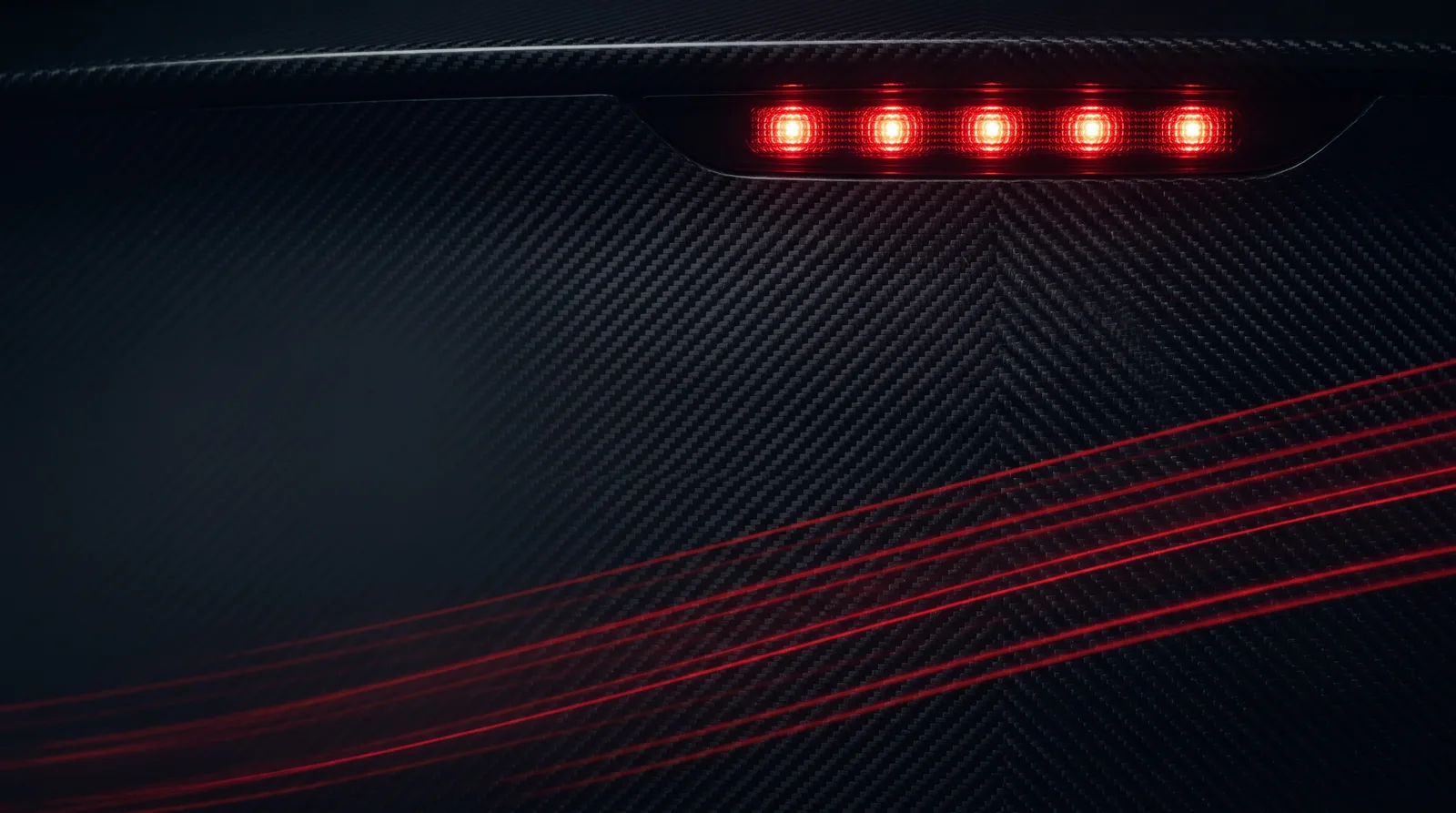
Pit Wall Night — painted by DesignMyMac from the prompt below.
Prompt
“A motorsport racing desktop: carbon fibre and race-red, speed lines, a lap-timer style clock”
You want a motorsport desktop built on carbon fibre and race-red, with speed lines and a clock that reads like a lap timer. I'm offering three different racing worlds: a pit-wall night, a vintage Grand Prix poster, and a Swiss-style telemetry sheet.
Three directions DesignMyMac proposed
Direction A
Pit Wall Night
Dark carbon garage under red start lights, precise and tense.
Grounded in: Modern F1 pit garage
Wallpaper
Twill-weave carbon fibre in near-black with a row of five red start lights glowing at the top, and thin red speed streaks sweeping diagonally across the lower half. Large dark space on the left.
App icons & Dock
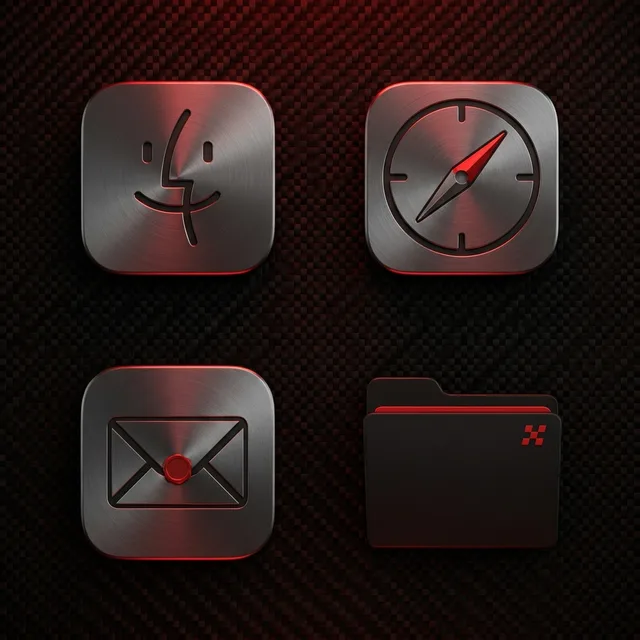
Brushed gunmetal chrome tiles with a race-red edge highlight and a rounded-square silhouette, set on a carbon weave backing.
Folders
Matte carbon-black folders with a red pinstripe along the tab and a small chequered corner mark.
Widgets
One solid card with a lap-timer flip clock in mono type, a red progress bar for the day, a countdown to the next race, and a system block for CPU and memory.
Windows
Native solid charcoal windows with a compact header and red filled selection.
Direction B
Grand Prix 1955
Sunlit vintage racing poster, warm paper, bold red cars, hand-inked speed.
Grounded in: 1950s Grand Prix lithograph poster
Wallpaper
Gouache-style 1950s poster: a red open-wheel racer cornering on a cream track with horizontal ink speed lines, racing-green hills behind and a mustard sun. Cream sky left clear for icons.
App icons & Dock
Cut-paper icons in cream and racing red with a printed halftone texture, round-cornered and slightly off-register, each with a small number roundel.
Folders
Manila-cream folders with a red number roundel on the front and a green stripe along the edge.
Widgets
One printed paper card in typewriter font: a word-style lap clock, a countdown to race day, a checklist for the pit crew, and a day progress ring.
Windows
Editorial floating windows in warm cream with an outline selection in red.
Direction C
Telemetry Sheet
Cold, bright and data-driven: a Swiss-grid timing screen with one sharp red.
Grounded in: Swiss-grid race timing and telemetry
Wallpaper
Off-white grid with a black carbon-weave band across the bottom, a single red racing-line trace curving through a circuit outline, and fine parallel speed lines fading to the right. Calm space at the top.
App icons & Dock
Bold stencil glyphs in black on white enamel squares with a red corner tab and a sector-time-style number.
Folders
Light silver folders with a black stencil label strip and a red sector bar on the tab.
Widgets
One three-column card in condensed type: a big flip clock styled as a lap timer, a timer block, a battery block, a week progress bar and the system block.
Windows
Glass floating windows in near-white with a compact header and red filled selection.
What changes on your Mac
Wallpaper — an original painting for every display, with optional motion.
App icons & Dock — matching icons for your apps in the DesignMyMac Dock, in its own colour.
Folders — every folder in your home in the same style, and new ones as you make them.
Widgets — clocks, calendars, weather and more, designed to match.
Windows — the DesignMyMac Files and Apps windows in your palette.
Questions
How do I make my Mac look Racing?
To give your Mac a Racing look, describe it in DesignMyMac — for example “A motorsport racing desktop: carbon fibre and race-red, speed lines, a lap-timer style clock”. It researches the style, proposes three directions with a painted wallpaper and icon sample, and applies your choice to the wallpaper, app icons, folders, Dock, widgets and windows together. Every original is backed up and one click restores it.
What colours suit a Racing Mac desktop?
A strong starting palette is #0b0b0d, #1c1d21, #e10600, #8a8d93, led by the accent #e10600. DesignMyMac uses it across your wallpaper, icons, folders, widgets and windows.
What widgets fit a Racing setup?
One solid card with a lap-timer flip clock in mono type, a red progress bar for the day, a countdown to the next race, and a system block for CPU and memory.
Is DesignMyMac free?
You can start for free. Designing with AI has a daily limit per account.
Which Macs does it work on?
Apple silicon and Intel Macs running macOS 14 Sonoma or later. Download it free at designmymac.com/download.
Does it change my files?
No. DesignMyMac only changes how things look — wallpaper, icons, folders' appearance, the Dock, widgets and window styling.
 BrutalistPoured Slab
 ScandinavianBirch Veneer Studio
 BauhausDessau Poster
 Art DecoChrysler Spire
 Y2KBubble Bath Chrome
 ForestFog Between Pines