To give your Mac a Halloween look, describe it in DesignMyMac — for example “A spooky Halloween desktop: moonlit pumpkins, purple and orange, witchy icons, a countdown to Halloween”. It researches the style, proposes three directions with a painted wallpaper and icon sample, and applies your choice to the wallpaper, app icons, folders, Dock, widgets and windows together. Every original is backed up and one click restores it.
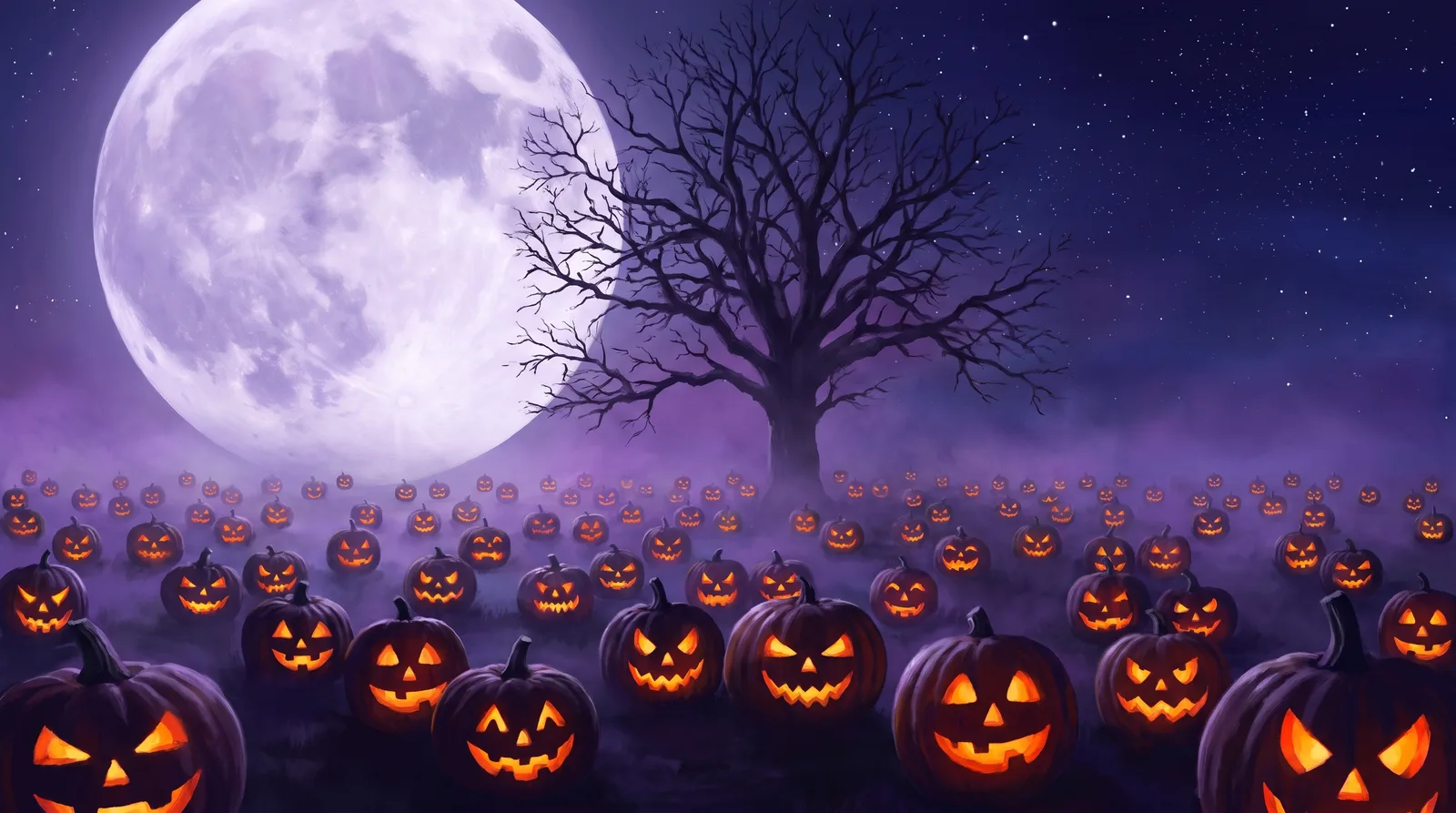
Moonlit Pumpkin Patch — painted by DesignMyMac from the prompt below.
Prompt
“A spooky Halloween desktop: moonlit pumpkins, purple and orange, witchy icons, a countdown to Halloween”
You want a spooky Halloween desktop with moonlit pumpkins in purple and orange, witchy icons and a countdown to Halloween. I'm offering three different scenes: a pumpkin patch, a vintage apothecary and a paper-cut parade.
Three directions DesignMyMac proposed
Direction A
Moonlit Pumpkin Patch
Cold moon, glowing jack-o'-lanterns, quiet field fog.
Grounded in: Moonlit gothic landscape painting
Wallpaper
Painted pumpkin patch under a huge pale-lilac full moon, carved jack-o'-lanterns glowing orange, bare oak silhouette, violet fog. Open sky at top right.
App icons & Dock
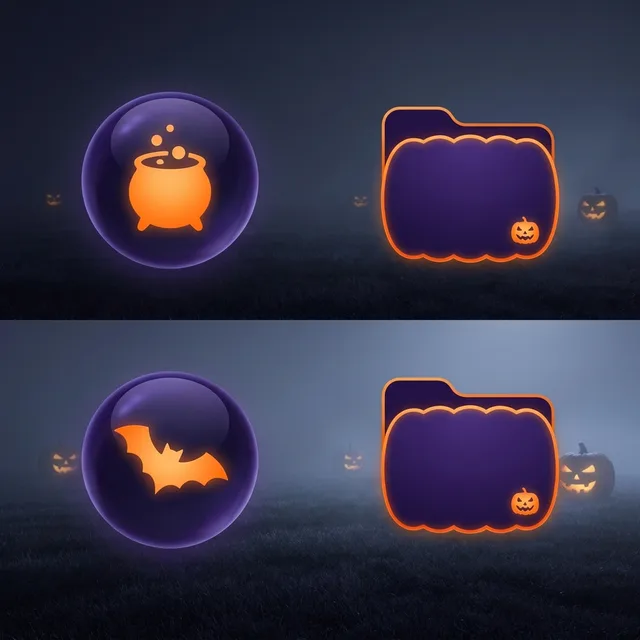
Dark violet glass orbs with glowing orange glyphs: cauldron, bat, crow, candle. Round silhouettes.
Folders
Deep purple folders with an orange pumpkin-glow edge and a tiny carved-face stamp.
Widgets
One frosted card on the right: a large countdown to Oct 31, a moon-phase sky block, a small checklist of spells.
Candlelit witch's shelf of labelled jars and old paper.
Grounded in: Victorian apothecary labels and herbals
Wallpaper
Dark plum wooden shelf with corked jars of dried herbs, a small pumpkin, a brass candle and a crescent moon in a window. Warm lamp glow on the left, empty wall right.
App icons & Dock
Aged parchment apothecary labels with ink-drawn broom, potion bottle, spider and eye. Rectangular tags with torn edges.
Folders
Plum leather folders with an orange wax seal and a cream hand-lettered label.
Widgets
Parchment card in a serif font: countdown to Halloween, a quote of the day, a habit list called Daily Rituals.
Layered paper-cut scene: orange moon disc, purple hills, a crooked witch's house, a row of grinning pumpkins and flying bats in deep indigo. Soft shadows between layers.
App icons & Dock
Chunky puffy shapes in purple and orange: ghost, hat, pumpkin, cat. Rounded soft silhouettes with cut-paper highlights.
Folders
Violet paper-cut folders with orange pumpkin stickers and a small bat on the tab.
Widgets
Collage cards with torn edges: a big flip-style countdown to Halloween, a counter for candy eaten, and a clock.
Windows
Integrated solid indigo windows with compact headers and filled purple selection.
What changes on your Mac
Wallpaper — an original painting for every display, with optional motion.
App icons & Dock — matching icons for your apps in the DesignMyMac Dock, in its own colour.
Folders — every folder in your home in the same style, and new ones as you make them.
Widgets — clocks, calendars, weather and more, designed to match.
Windows — the DesignMyMac Files and Apps windows in your palette.
Questions
How do I make my Mac look Halloween?
To give your Mac a Halloween look, describe it in DesignMyMac — for example “A spooky Halloween desktop: moonlit pumpkins, purple and orange, witchy icons, a countdown to Halloween”. It researches the style, proposes three directions with a painted wallpaper and icon sample, and applies your choice to the wallpaper, app icons, folders, Dock, widgets and windows together. Every original is backed up and one click restores it.
What colours suit a Halloween Mac desktop?
A strong starting palette is #1a1030, #3b1d5e, #ff7a1a, #c9b6ff, led by the accent #ff7a1a. DesignMyMac uses it across your wallpaper, icons, folders, widgets and windows.
What widgets fit a Halloween setup?
One frosted card on the right: a large countdown to Oct 31, a moon-phase sky block, a small checklist of spells.
Is DesignMyMac free?
You can start for free. Designing with AI has a daily limit per account.
Which Macs does it work on?
Apple silicon and Intel Macs running macOS 14 Sonoma or later. Download it free at designmymac.com/download.
Does it change my files?
No. DesignMyMac only changes how things look — wallpaper, icons, folders' appearance, the Dock, widgets and window styling.
 Art DecoChrysler Spire
 Y2KBubble Bath Chrome
 ForestFog Between Pines
 OceanShallows From Above
 Deep SpaceCarina Pillars
 Coffee ShopLatte Pour Overhead