To give your Mac a Desert Dunes look, describe it in DesignMyMac — for example “A desert dunes desktop: golden sand ripples at sunset, terracotta and dusk purple, sun-baked icons”. It researches the style, proposes three directions with a painted wallpaper and icon sample, and applies your choice to the wallpaper, app icons, folders, Dock, widgets and windows together. Every original is backed up and one click restores it.
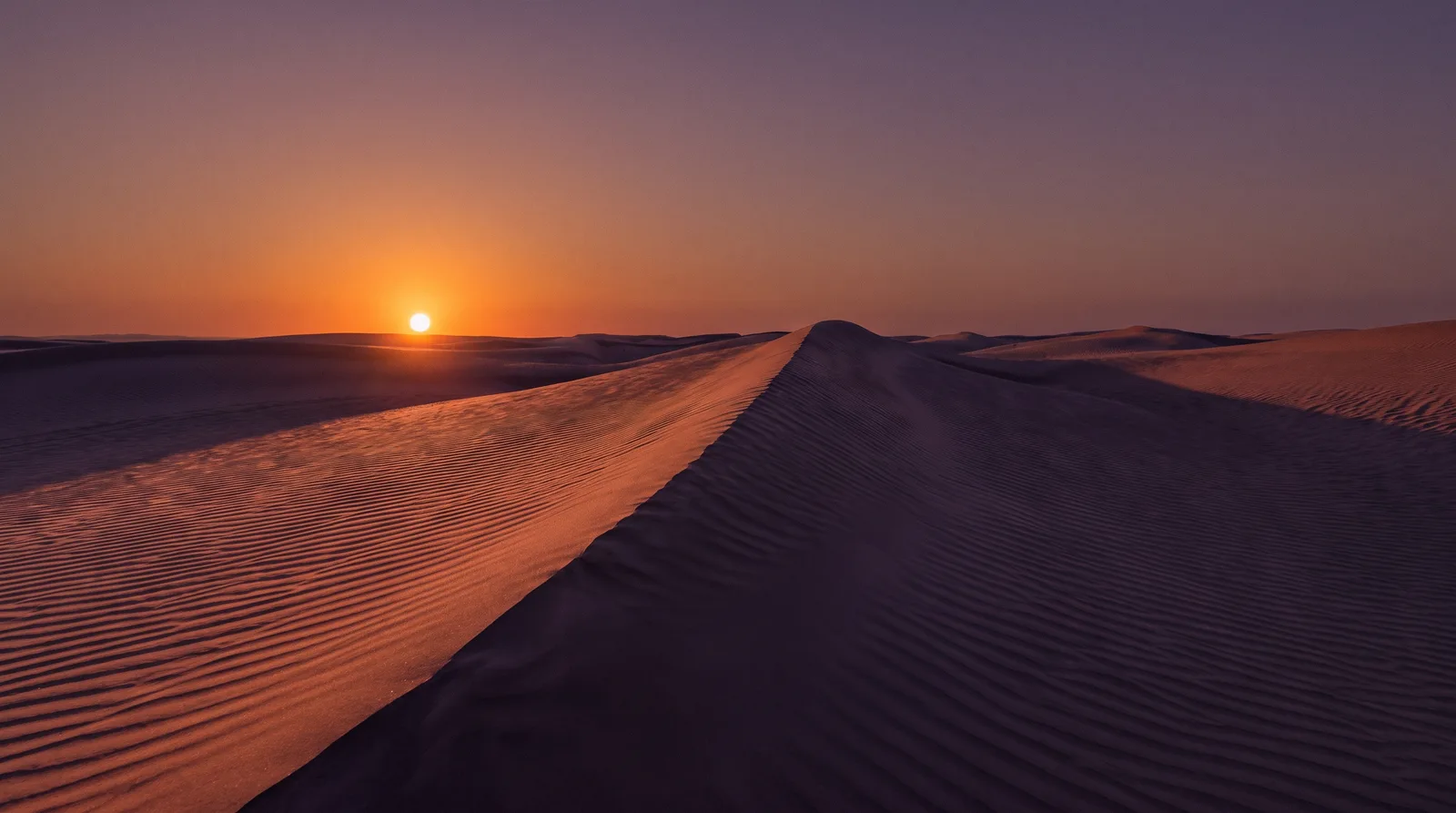
Ripple Hour — painted by DesignMyMac from the prompt below.
Prompt
“A desert dunes desktop: golden sand ripples at sunset, terracotta and dusk purple, sun-baked icons”
You want a desert dunes desktop at sunset: golden sand ripples, terracotta and dusk purple, with icons that look sun-baked. These three directions use different scenes and materials, not one dune in three tints.
Three directions DesignMyMac proposed
Direction A
Ripple Hour
Low sun raking across wind-rippled dunes, warm and quiet, with long purple shadows.
Wind-rippled golden dunes at sunset, a sharp ridge line splitting sand in terracotta light from sand in dusk-purple shadow, a low orange sun, wide empty sky for space.
App icons & Dock
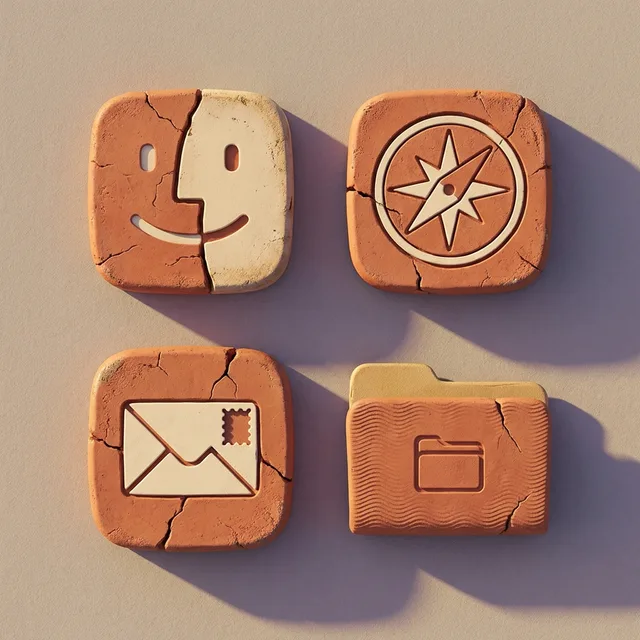
Sun-baked clay-tablet icons: rounded squares in cracked terracotta and sand, with simple cream glyphs pressed in like stamps.
Folders
Folders in terracotta with a faint ripple-line texture on the front and a sand-gold tab.
Widgets
Paper cards in warm cream with serif type: a clock, a sky block for sunset time, and a weather block. A thin terracotta rule sits between blocks.
Windows
Editorial floating windows in sand cream with a terracotta outline selection and serif titles.
Direction B
Caravan Night Cloth
A woven textile of the desert at dusk: patterned, handmade, deep purple and rust.
Grounded in: Icon-led: kilim textile and cut-paper collage
Wallpaper
A flat cut-paper dune landscape in layered bands of dusk purple, rust and gold, a large pale sun disc, a tiny camel caravan silhouette, and paper grain throughout.
App icons & Dock
Cut-paper icons with desert plant motifs: agave, date palm and cactus flower in rust, gold and plum on sand-coloured tiles.
Folders
Purple woven-kilim folders with a zigzag rust and gold diamond border and a stitched edge.
Widgets
Collage cards with torn-paper edges: a checklist, a countdown, and a quote block, all in a rounded font on plum with gold text.
Windows
Frosted glass windows tinted deep plum, with a thin gold edge and a floating shadow.
Direction C
Kiln Mesa
Heavy, dry and sculptural: fired ceramic and red rock under a violet sky.
Grounded in: Window-led: glazed pottery and mesa landscapes
Wallpaper
Smooth sculpted sand dunes with a distant red mesa, a gradient sky from apricot to violet, and a soft glow on the dune edges, with dark foreground sand left empty for icons.
App icons & Dock
Puffy glazed-ceramic icons in orange, ochre and a purple glaze, with soft highlights and cracked-glaze speckle.
Folders
Thick terracotta clay folders with a glossy glaze edge and a sand-coloured label tab.
Widgets
Ceramic cards in ochre and plum: a round progress ring for the day, a counter for water glasses, and a clock. Rounded font.
Windows
Native solid windows in dark aubergine with a compact header and terracotta filled selection.
What changes on your Mac
Wallpaper — an original painting for every display, with optional motion.
App icons & Dock — matching icons for your apps in the DesignMyMac Dock, in its own colour.
Folders — every folder in your home in the same style, and new ones as you make them.
Widgets — clocks, calendars, weather and more, designed to match.
Windows — the DesignMyMac Files and Apps windows in your palette.
Questions
How do I make my Mac look Desert Dunes?
To give your Mac a Desert Dunes look, describe it in DesignMyMac — for example “A desert dunes desktop: golden sand ripples at sunset, terracotta and dusk purple, sun-baked icons”. It researches the style, proposes three directions with a painted wallpaper and icon sample, and applies your choice to the wallpaper, app icons, folders, Dock, widgets and windows together. Every original is backed up and one click restores it.
What colours suit a Desert Dunes Mac desktop?
A strong starting palette is #2b1f2e, #e0a85c, #c4572f, #6b4a7a, #f2d29b, led by the accent #d9822b. DesignMyMac uses it across your wallpaper, icons, folders, widgets and windows.
What widgets fit a Desert Dunes setup?
Paper cards in warm cream with serif type: a clock, a sky block for sunset time, and a weather block. A thin terracotta rule sits between blocks.
Is DesignMyMac free?
You can start for free. Designing with AI has a daily limit per account.
Which Macs does it work on?
Apple silicon and Intel Macs running macOS 14 Sonoma or later. Download it free at designmymac.com/download.
Does it change my files?
No. DesignMyMac only changes how things look — wallpaper, icons, folders' appearance, the Dock, widgets and window styling.
 Pixel ArtCartridge Valley
 Hacker TerminalPhosphor Bunker
 BohoPampas at Golden Hour
 MatchaChawan Glaze
 SolarpunkCanopy Terraces
 Painterly CountrysideHayfield Noon