designmymac.
Style

Hacker Terminal Mac desktop theme

To give your Mac a Hacker Terminal look, describe it in DesignMyMac — for example “A hacker terminal desktop: green phosphor on black, monospace everything, a system monitor HUD”. It researches the style, proposes three directions with a painted wallpaper and icon sample, and applies your choice to the wallpaper, app icons, folders, Dock, widgets and windows together. Every original is backed up and one click restores it.

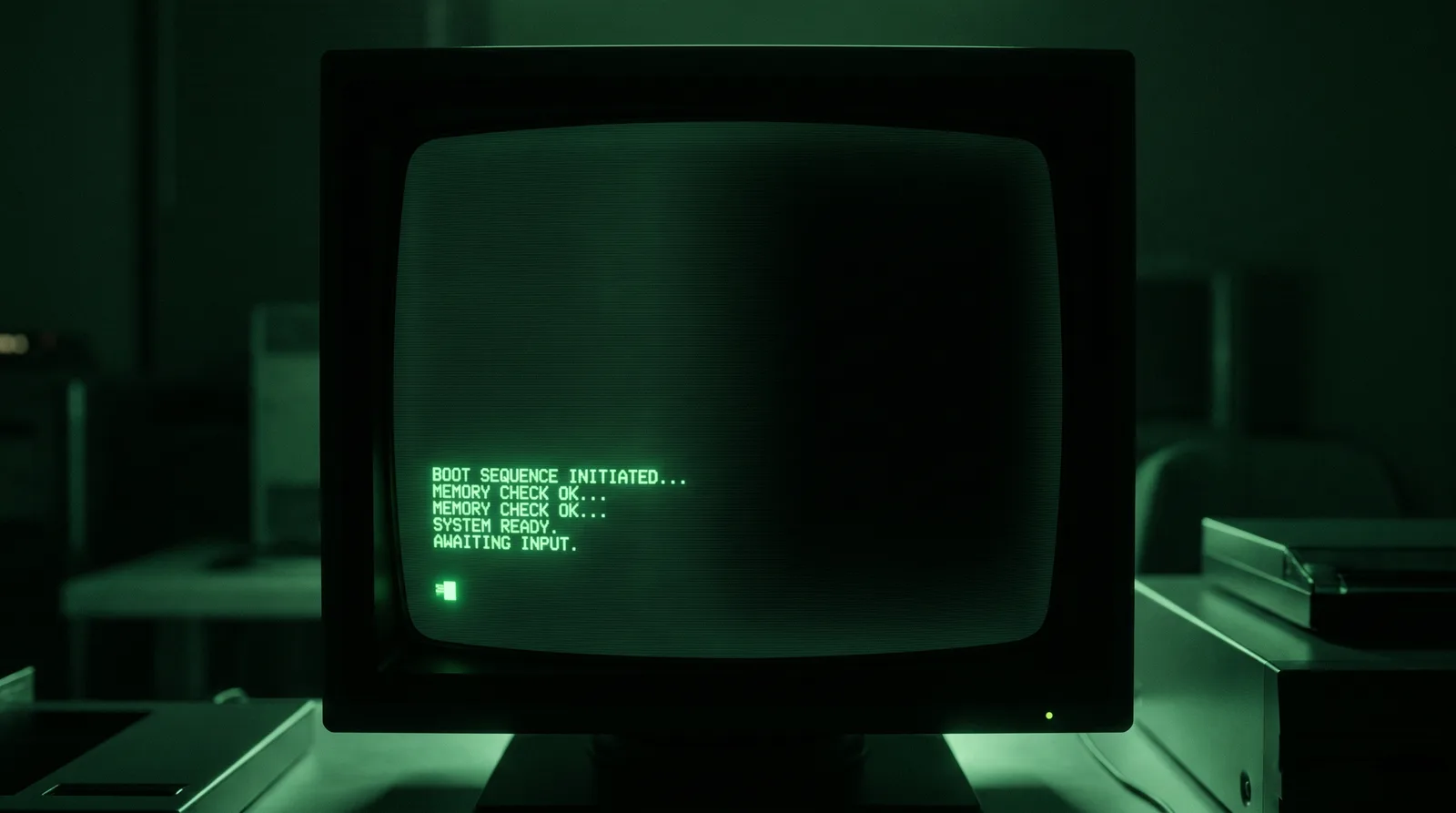
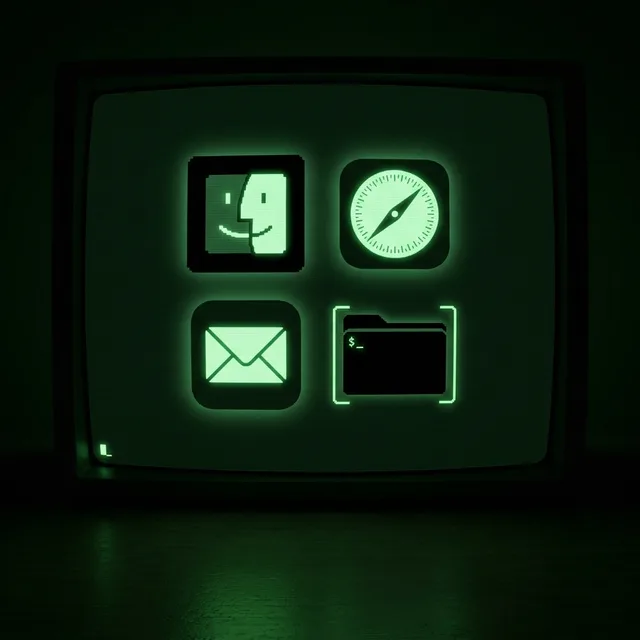
Phosphor Bunker: an original Hacker Terminal Mac wallpaper designed by DesignMyMacHacker Terminal icon sample: Finder, Safari, Mail and a folder
Phosphor Bunker — painted by DesignMyMac from the prompt below.
Prompt

“A hacker terminal desktop: green phosphor on black, monospace everything, a system monitor HUD”

Download for Mac

You want a hacker terminal desktop: green phosphor on black, monospace type throughout, and a live system monitor HUD. I'm offering three different ways to get there: a CRT monitor, a printed-manual look, and a modern dark IDE.

Three directions DesignMyMac proposed

Direction A

Phosphor Bunker

A dark room lit by one curved CRT. Scanlines, glow bloom, and a cursor blinking at a prompt.

Grounded in: 1980s green-screen CRT terminal

Wallpaper
Wallpaper-led: a black CRT screen with curved glass edges, faint horizontal scanlines and a soft #33ff66 bloom. A blinking block cursor sits after a boot log at lower left. Wide dark space on the right.
App icons & Dock
Pixel-grid icons as single-colour phosphor glyphs: 1-bit green on black tiles, with a faint glow and square silhouettes.
Folders
Flat black folders with a thin #33ff66 outline, drawn like directory-listing brackets. A tiny blinking underscore sits on the tab.
Widgets
One right-hand HUD card in a mono font with a pixel frame. It holds system (CPU, memory, disk, network), battery, a digital clock, and a day progress bar. Text is green on black.
Windows
Native chrome in near-black with green text, a compact header, and a filled green selection like inverse video.
Direction B

Field Manual 7

A printed Cold War maintenance manual: green ink on black stock, with stencil lettering and a crosshair grid.

Grounded in: military technical manual and radar plotting charts

Wallpaper
A polar radar plotting chart in lime ink on black. Concentric range rings, bearing ticks every ten degrees, and a few small blip marks. A grid of fine crosshairs fills the corners, and the centre is left open.
App icons & Dock
Stencil-cut icons in lime on olive tiles. Heavy ammo-crate lettering and rectangular silhouettes with registration marks.
Folders
Olive manila-style folders with a lime stencil index code on the tab and a thin punched-hole detail. Type is monospaced.
Widgets
A three-column HUD card in mono type. It has a system block, a weather block for the city, a ring progress for the year, a counter, and a checklist of ops tasks, over a printed grid.
Windows
Editorial chrome: floating dark olive panels, a typewritten header and outline selection in lime.
Direction C

Neon Daemon

A modern dark IDE at 3am. Cyan-tinged green syntax colours, glass panels and a streaming data wall.

Grounded in: modern dark-mode terminal and IDE aesthetic

Wallpaper
Falling columns of mint #00ffa3 code glyphs, blurred at depth, over deep blue-black. A thin horizontal light flare crosses the lower third. Dark negative space on the right for widgets.
App icons & Dock
Brushed dark-chrome rounded icons with a mint rim light and a monospace glyph engraved in each.
Folders
Smoked-glass folders with a mint edge glow and a small angle-bracket glyph on the front.
Widgets
A frosted glass HUD in mono type. It has system, a nowPlaying block with bars, a ticker for bitcoin and ethereum, contributions, and a flip clock.
Windows
Floating glass chrome tinted blue-black, with a compact header and filled mint selection.

What changes on your Mac

Questions

How do I make my Mac look Hacker Terminal?

To give your Mac a Hacker Terminal look, describe it in DesignMyMac — for example “A hacker terminal desktop: green phosphor on black, monospace everything, a system monitor HUD”. It researches the style, proposes three directions with a painted wallpaper and icon sample, and applies your choice to the wallpaper, app icons, folders, Dock, widgets and windows together. Every original is backed up and one click restores it.

What colours suit a Hacker Terminal Mac desktop?

A strong starting palette is #030a05, #0a1f10, #33ff66, #1a8f3a, #b6ffc8, led by the accent #33ff66. DesignMyMac uses it across your wallpaper, icons, folders, widgets and windows.

What widgets fit a Hacker Terminal setup?

One right-hand HUD card in a mono font with a pixel frame. It holds system (CPU, memory, disk, network), battery, a digital clock, and a day progress bar. Text is green on black.

Is DesignMyMac free?

You can start for free. Designing with AI has a daily limit per account.

Which Macs does it work on?

Apple silicon and Intel Macs running macOS 14 Sonoma or later. Download it free at designmymac.com/download.

Does it change my files?

No. DesignMyMac only changes how things look — wallpaper, icons, folders' appearance, the Dock, widgets and window styling.
More styles

Y2K Mac desktopY2KBubble Bath ChromeForest Mac desktopForestFog Between PinesOcean Mac desktopOceanShallows From AboveDeep Space Mac desktopDeep SpaceCarina PillarsCoffee Shop Mac desktopCoffee ShopLatte Pour OverheadRainy Day Mac desktopRainy DayNight Bus Window