designmymac.
Style

Kawaii Mac desktop theme

To give your Mac a Kawaii look, describe it in DesignMyMac — for example “A kawaii desktop: candy pinks and baby blues, smiling cloud stickers, round squishy icons”. It researches the style, proposes three directions with a painted wallpaper and icon sample, and applies your choice to the wallpaper, app icons, folders, Dock, widgets and windows together. Every original is backed up and one click restores it.

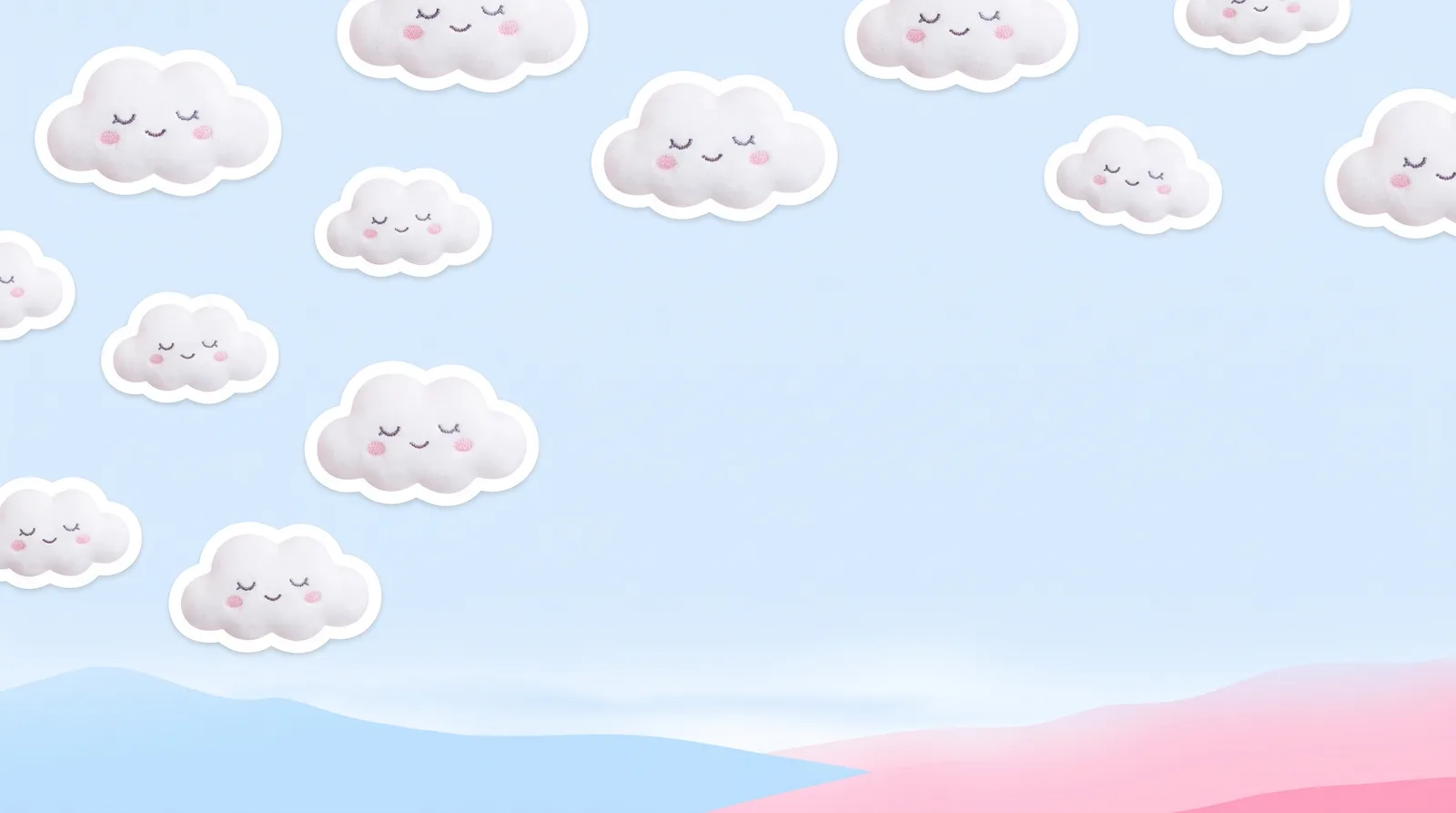
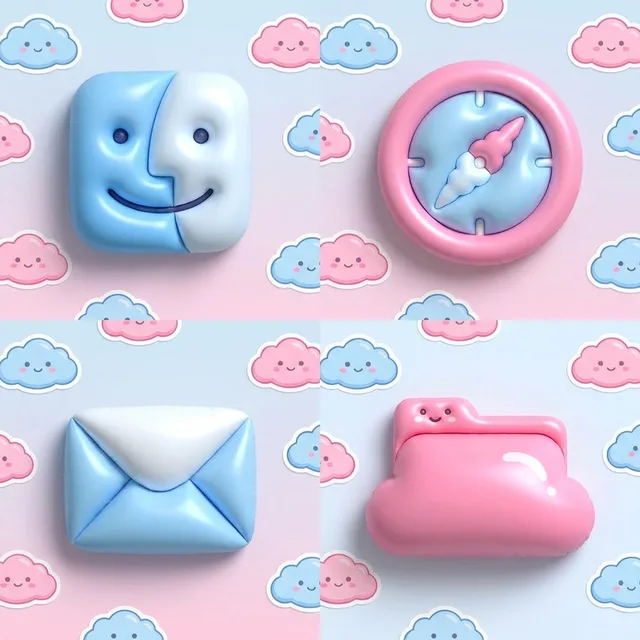
Cloud Nursery: an original Kawaii Mac wallpaper designed by DesignMyMacKawaii icon sample: Finder, Safari, Mail and a folder
Cloud Nursery — painted by DesignMyMac from the prompt below.
Prompt

“A kawaii desktop: candy pinks and baby blues, smiling cloud stickers, round squishy icons”

Download for Mac

You want a kawaii desktop in candy pink and baby blue, with smiling cloud stickers and round squishy icons. I'm offering three different ways to get there, each led by a different layer.

Three directions DesignMyMac proposed

Direction A

Cloud Nursery

A sleepy pastel sky full of smiling cloud stickers. Soft, round and calm.

Grounded in: Kawaii sticker-sky illustration

Wallpaper
Baby-blue sky with fat white cloud stickers that have tiny closed-eye smiles and pink cheeks. Thick white sticker outlines. Open space at the center right.
App icons & Dock
Round squishy pillow-shaped icons in candy pink and baby blue. Glossy highlights, dot eyes on a few. Soft, puffy silhouettes.
Folders
Puffy bubblegum-pink folders shaped like little clouds, with a small smiling face on the tab.
Widgets
Ceramic cards in pale blue: a smiling-cloud weather block, a clock, and a pink habit tracker. Rounded font.
Windows
Native chrome in milky white-blue, with large rounded corners and a pink selection fill.
Direction B

Gumball Arcade

A bouncy toy-shop desktop in glossy candy colors, with bubbly pixel faces. Playful and loud.

Grounded in: Kawaii pixel-arcade candy machine

Wallpaper
Pink and blue polka-dot arcade floor with scattered gumballs and pixel-art smiling clouds. Yellow sparkle stars. Soft vignette, clear middle.
App icons & Dock
Pixel-art icons on glossy enamel round tiles, each with a tiny smiling face. Pink, blue and butter-yellow.
Folders
Baby-blue enamel folders with a pink pixel heart and a white sparkle.
Widgets
Pixel-framed enamel cards: a flip clock, a counter for water glasses with a drop symbol, and a checklist. Pixel font.
Windows
Editorial chrome with a cream-pink solid surface, outline selection and a chunky header.
Direction C

Marshmallow Meadow

A soft paper-collage pastel garden with sleepy clouds, where the flowers have faces. Gentle and handmade.

Grounded in: Kawaii paper-cut collage

Wallpaper
Paper-cut hills in pink and mint under a baby-blue sky. Smiling cloud cutouts with torn edges and daisy flowers with faces. Calm space in the upper middle.
App icons & Dock
Round cut-paper icons shaped like daisies, tulips and buds, in pink and blue. Soft shadows, smiling dot faces.
Folders
Baby-blue paper folders with a pink daisy sticker and a small cloud label.
Widgets
Collage cards with a torn-paper edge: a sunrise and moon sky block, a note, a calendar. Handwritten font.
Windows
Frosted glass windows tinted blush white, with rounded corners and a pale blue filled selection.

What changes on your Mac

Questions

How do I make my Mac look Kawaii?

To give your Mac a Kawaii look, describe it in DesignMyMac — for example “A kawaii desktop: candy pinks and baby blues, smiling cloud stickers, round squishy icons”. It researches the style, proposes three directions with a painted wallpaper and icon sample, and applies your choice to the wallpaper, app icons, folders, Dock, widgets and windows together. Every original is backed up and one click restores it.

What colours suit a Kawaii Mac desktop?

A strong starting palette is #e8f4ff, #ffd3e4, #a9d8ff, #ff8fb8, #ffffff, led by the accent #ff8fb8. DesignMyMac uses it across your wallpaper, icons, folders, widgets and windows.

What widgets fit a Kawaii setup?

Ceramic cards in pale blue: a smiling-cloud weather block, a clock, and a pink habit tracker. Rounded font.

Is DesignMyMac free?

You can start for free. Designing with AI has a daily limit per account.

Which Macs does it work on?

Apple silicon and Intel Macs running macOS 14 Sonoma or later. Download it free at designmymac.com/download.

Does it change my files?

No. DesignMyMac only changes how things look — wallpaper, icons, folders' appearance, the Dock, widgets and window styling.
More styles

Autumn Mac desktopAutumnCable-Knit HearthWinter Mac desktopWinterLantern in the DriftSpring Blossom Mac desktopSpring BlossomHanami RiverbankHalloween Mac desktopHalloweenMoonlit Pumpkin PatchChristmas Mac desktopChristmasVelvet Parlour HearthNeon Noir Mac desktopNeon NoirKowloon Downpour